Changelog
Changelog
Stay up to date with everything we're doing to improve Traklist.
Stay up to date with everything we're doing to improve Traklist.
Jun 15, 2026
1.5.4
Web
Enhancements
Backdrop Color Everywhere — Backdrop mode now carries your folder color through menus, filters, modals, and controls for a more immersive folder view.
Cleaner Backdrop Details — Text, icons, toggles, and accents have been tuned for better contrast, so everything stays crisp and easy to read on any folder color.
1.5.4
Web
Enhancements
Backdrop Color Everywhere — Backdrop mode now carries your folder color through menus, filters, modals, and controls for a more immersive folder view.
Cleaner Backdrop Details — Text, icons, toggles, and accents have been tuned for better contrast, so everything stays crisp and easy to read on any folder color.
Jun 15, 2026
1.5.4
Web
Enhancements
Backdrop Color Everywhere — Backdrop mode now carries your folder color through menus, filters, modals, and controls for a more immersive folder view.
Cleaner Backdrop Details — Text, icons, toggles, and accents have been tuned for better contrast, so everything stays crisp and easy to read on any folder color.
Jun 15, 2026
Jun 12, 2026
1.5.3
Web
What's New
Floating Details Panel
The details panel now opens as a floating overlay, so you can view and edit track details while keeping your library visible behind it.Backdrop Folder Theming
In Backdrop folders, the details panel, audio player, and Compare tabs now take on the folder’s color for a more immersive view.Refined Detail Editing
Updated the Key, BPM, and tag edit modals, along with the panel close button and top scroll fade for a cleaner editing experience.
Fixes
Compare Loads Audio from Multi-Select
Selecting multiple files and choosing Compare in Folders, Favorites, and Shared now correctly loads and plays the selected tracks.A/B Button Exits Compare
The A/B icon now reliably exits Compare mode.Compare Menu Icon
Fixed the Compare icon in the multi-select menu so it appears lighter, sharper, and better aligned with the other menu items.Legible Location Icon in Backdrop Folders
Fixed the “My Library” location icon in the details panel so it stays readable on colored Backdrop folders.
1.5.3
Web
What's New
Floating Details Panel
The details panel now opens as a floating overlay, so you can view and edit track details while keeping your library visible behind it.Backdrop Folder Theming
In Backdrop folders, the details panel, audio player, and Compare tabs now take on the folder’s color for a more immersive view.Refined Detail Editing
Updated the Key, BPM, and tag edit modals, along with the panel close button and top scroll fade for a cleaner editing experience.
Fixes
Compare Loads Audio from Multi-Select
Selecting multiple files and choosing Compare in Folders, Favorites, and Shared now correctly loads and plays the selected tracks.A/B Button Exits Compare
The A/B icon now reliably exits Compare mode.Compare Menu Icon
Fixed the Compare icon in the multi-select menu so it appears lighter, sharper, and better aligned with the other menu items.Legible Location Icon in Backdrop Folders
Fixed the “My Library” location icon in the details panel so it stays readable on colored Backdrop folders.
Jun 12, 2026
1.5.3
Web
What's New
Floating Details Panel
The details panel now opens as a floating overlay, so you can view and edit track details while keeping your library visible behind it.Backdrop Folder Theming
In Backdrop folders, the details panel, audio player, and Compare tabs now take on the folder’s color for a more immersive view.Refined Detail Editing
Updated the Key, BPM, and tag edit modals, along with the panel close button and top scroll fade for a cleaner editing experience.
Fixes
Compare Loads Audio from Multi-Select
Selecting multiple files and choosing Compare in Folders, Favorites, and Shared now correctly loads and plays the selected tracks.A/B Button Exits Compare
The A/B icon now reliably exits Compare mode.Compare Menu Icon
Fixed the Compare icon in the multi-select menu so it appears lighter, sharper, and better aligned with the other menu items.Legible Location Icon in Backdrop Folders
Fixed the “My Library” location icon in the details panel so it stays readable on colored Backdrop folders.
Jun 12, 2026
Jun 10, 2026
2.1.9
iOS
A New Chapter for Traklist
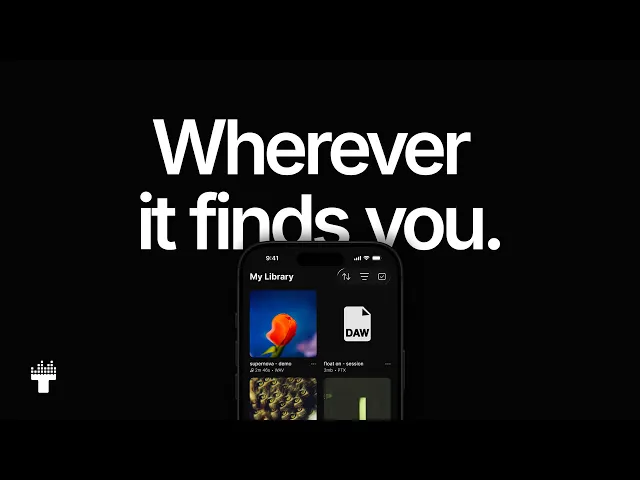
This release marks a major refresh of Traklist on iOS, rebuilt to make capturing, organizing, listening, and sharing music in progress feel faster, clearer, and more inspiring.
With multi-layer recording, gapless A/B Compare, lossless playback, Stereo Scope, loudness analysis, BPM and key detection, advanced search with search history, custom sorting, folder layouts, multi-select drag and drop, and reorder, Traklist now gives you deeper insight and more control across every file.
We also added faster access to notes from the audio player, Offline Mode, real-time share analytics for views, plays, and downloads, custom artwork with a built-in photo editor, favorites, and 2FA security.
A new chapter for Traklist, built for the creative process from first idea to final share.
2.1.9
iOS
A New Chapter for Traklist
This release marks a major refresh of Traklist on iOS, rebuilt to make capturing, organizing, listening, and sharing music in progress feel faster, clearer, and more inspiring.
With multi-layer recording, gapless A/B Compare, lossless playback, Stereo Scope, loudness analysis, BPM and key detection, advanced search with search history, custom sorting, folder layouts, multi-select drag and drop, and reorder, Traklist now gives you deeper insight and more control across every file.
We also added faster access to notes from the audio player, Offline Mode, real-time share analytics for views, plays, and downloads, custom artwork with a built-in photo editor, favorites, and 2FA security.
A new chapter for Traklist, built for the creative process from first idea to final share.
Jun 10, 2026
2.1.9
iOS
A New Chapter for Traklist
This release marks a major refresh of Traklist on iOS, rebuilt to make capturing, organizing, listening, and sharing music in progress feel faster, clearer, and more inspiring.
With multi-layer recording, gapless A/B Compare, lossless playback, Stereo Scope, loudness analysis, BPM and key detection, advanced search with search history, custom sorting, folder layouts, multi-select drag and drop, and reorder, Traklist now gives you deeper insight and more control across every file.
We also added faster access to notes from the audio player, Offline Mode, real-time share analytics for views, plays, and downloads, custom artwork with a built-in photo editor, favorites, and 2FA security.
A new chapter for Traklist, built for the creative process from first idea to final share.
Jun 10, 2026
Jun 10, 2026
1.5.2
Web
What's New
Backdrop — a new per-folder color theme. Open a folder's Styles menu and switch on Backdrop to wrap that folder in a deep, immersive color drawn from its artwork. The color flows across the folder background, the track list, and the audio player, so each folder reads as its own space. Pick any hue from the color picker, and your recent colors are saved for quick reuse. Every folder keeps its own Backdrop, independent of the others.
1.5.2
Web
What's New
Backdrop — a new per-folder color theme. Open a folder's Styles menu and switch on Backdrop to wrap that folder in a deep, immersive color drawn from its artwork. The color flows across the folder background, the track list, and the audio player, so each folder reads as its own space. Pick any hue from the color picker, and your recent colors are saved for quick reuse. Every folder keeps its own Backdrop, independent of the others.
Jun 10, 2026
1.5.2
Web
What's New
Backdrop — a new per-folder color theme. Open a folder's Styles menu and switch on Backdrop to wrap that folder in a deep, immersive color drawn from its artwork. The color flows across the folder background, the track list, and the audio player, so each folder reads as its own space. Pick any hue from the color picker, and your recent colors are saved for quick reuse. Every folder keeps its own Backdrop, independent of the others.
Jun 10, 2026
Jun 8, 2026
1.5.1
Web
This update brings a round of improvements and fixes to filtering, list views, and folder interactions, making the new sorting and filtering experience feel smoother across your library.
Improvements
BPM Graph Control — Set an exact BPM by clicking or dragging directly on the distribution graph or slider line, instead of needing to grab the handle.
Cleaner Filter Tags — Unselected tags in filters and search now use a softer background, so selected tags stand out more clearly.
Fixes
Scroll Lock for Menus — Filter, Styles, and folder menus now keep the page locked in place while open, so scrolling no longer closes the menu or moves the page behind it.
BPM Range Handles — When the minimum and maximum BPM handles meet on the same value, you can now drag either one apart again.
Stable Filter Tags — Selecting a filter tag no longer makes it grow slightly or nudge nearby tags.
Tags Column Visibility — Turning on the Tags column in Library and Folders now shows it every time, even before any tags have been added.
Favorite Star Highlight — The highlight around the favorite button in list views is no longer clipped on the left edge.
Cleaner File Names — Letters like j, g, p, and y are no longer slightly cut off in list view titles across Large, Compact, and Text layouts.
Updated Loading Screens — Library and Folder loading screens now match the current header layout instead of briefly flashing the old filter and sort buttons.
1.5.1
Web
This update brings a round of improvements and fixes to filtering, list views, and folder interactions, making the new sorting and filtering experience feel smoother across your library.
Improvements
BPM Graph Control — Set an exact BPM by clicking or dragging directly on the distribution graph or slider line, instead of needing to grab the handle.
Cleaner Filter Tags — Unselected tags in filters and search now use a softer background, so selected tags stand out more clearly.
Fixes
Scroll Lock for Menus — Filter, Styles, and folder menus now keep the page locked in place while open, so scrolling no longer closes the menu or moves the page behind it.
BPM Range Handles — When the minimum and maximum BPM handles meet on the same value, you can now drag either one apart again.
Stable Filter Tags — Selecting a filter tag no longer makes it grow slightly or nudge nearby tags.
Tags Column Visibility — Turning on the Tags column in Library and Folders now shows it every time, even before any tags have been added.
Favorite Star Highlight — The highlight around the favorite button in list views is no longer clipped on the left edge.
Cleaner File Names — Letters like j, g, p, and y are no longer slightly cut off in list view titles across Large, Compact, and Text layouts.
Updated Loading Screens — Library and Folder loading screens now match the current header layout instead of briefly flashing the old filter and sort buttons.
Jun 8, 2026
1.5.1
Web
This update brings a round of improvements and fixes to filtering, list views, and folder interactions, making the new sorting and filtering experience feel smoother across your library.
Improvements
BPM Graph Control — Set an exact BPM by clicking or dragging directly on the distribution graph or slider line, instead of needing to grab the handle.
Cleaner Filter Tags — Unselected tags in filters and search now use a softer background, so selected tags stand out more clearly.
Fixes
Scroll Lock for Menus — Filter, Styles, and folder menus now keep the page locked in place while open, so scrolling no longer closes the menu or moves the page behind it.
BPM Range Handles — When the minimum and maximum BPM handles meet on the same value, you can now drag either one apart again.
Stable Filter Tags — Selecting a filter tag no longer makes it grow slightly or nudge nearby tags.
Tags Column Visibility — Turning on the Tags column in Library and Folders now shows it every time, even before any tags have been added.
Favorite Star Highlight — The highlight around the favorite button in list views is no longer clipped on the left edge.
Cleaner File Names — Letters like j, g, p, and y are no longer slightly cut off in list view titles across Large, Compact, and Text layouts.
Updated Loading Screens — Library and Folder loading screens now match the current header layout instead of briefly flashing the old filter and sort buttons.
Jun 8, 2026
Jun 8, 2026
1.5
Web
A big update to sorting, filtering, and customizing your library.
This release introduces a new unified Filter panel, click-to-sort list headers, and a new Styles menu for customizing how your lists look and feel. You can now filter faster, sort more columns, switch between list layouts, choose which columns appear, and use the Camelot wheel for harmonic key filtering
What's New
New unified Filter panel
One Filter button now opens everything in one place across Library, Folders, and Search. Filter by type and format, status, BPM, key, and tags without jumping between separate dropdowns.New click-to-sort list headers
Sort lists by clicking column headers, now including Key and Tags alongside Name, BPM, plays, duration, and date. Favorites now includes the same sortable header experience.New Styles menu for lists
Use the Styles button to choose your list layout, show or hide columns, customize folder colors, and reset everything back to defaults with one click.List density options
Choose between Text, Compact, and Large list styles. Switching between Compact and Large now animates smoothly, and your Library and folders remember their layouts independently.Camelot wheel key filtering
Filter by key using a Camelot wheel built for harmonic mixing. Pick a key and optionally include compatible keys. You can switch between Musical and Camelot views without losing your selection.Camelot display option
Added a new setting in Settings → Display that lets you show Camelot codes, like 8B or 8A, in the Key column instead of musical keys. Your preference is remembered across reloads.BPM histogram and range filtering
See your tempo distribution at a glance, then filter by an exact BPM or a custom BPM range.Tag match modes
Choose whether tracks should match any selected tag or all selected tags.Play a whole folder from the header
Start playback directly from a folder header. Tracks play in your current sort and filter order.Quick multi-select preview
In text list view, hold Cmd/Ctrl and hover over a row to reveal its checkbox, making multi-select easier to discover.
Improvements
Cleaner Library and folder headers
Filter, Styles, and list controls now sit closer to the title row, so your music starts higher on the page. Folder headers also get cleaner buttons, better spacing, and a refined color-recents row.Lava Mode and list menu polish
The Styles and list menus now make it easier to switch views, customize your layout, and access visual options like Lava Mode where available.Cleaner list subtitles
Your own Library, Favorites, Home, and folder views now show your name in list subtitles instead of raw file details.Clearer Share buttons
A labeled Share button now replaces the old link icon across lists, folder headers, view screens, and menus.More consistent tag chips
Tag chips now look and behave more consistently across Search, folders, and the Filter panel.Smarter Tags filter
The Tags filter now shows only the tags available in the current Library or folder view, with selected tags floated to the top.Refined key editor
Setting a track’s key now uses the same pill style as filters and requires a major or minor scale, so every keyed track works properly with Camelot.Better responsive lists
Columns now appear and hide based on available width and the columns you have enabled. On very narrow screens, lists cleanly collapse to name and menu.More polished controls
Menus, layout icons, buttons, and controls have been refined for a softer and more consistent feel.
Fixes
Correct filter counts
The “Show N Items” count in Library and Folder filters could show the wrong total, and in some cases could allow a filter that returned no results. Counts now reflect the current view, and Apply is disabled when nothing matches.More accurate BPM ranges
BPM range filters now correctly exclude items with no BPM, including folders and unanalyzed files, so counts match the histogram.
1.5
Web
A big update to sorting, filtering, and customizing your library.
This release introduces a new unified Filter panel, click-to-sort list headers, and a new Styles menu for customizing how your lists look and feel. You can now filter faster, sort more columns, switch between list layouts, choose which columns appear, and use the Camelot wheel for harmonic key filtering
What's New
New unified Filter panel
One Filter button now opens everything in one place across Library, Folders, and Search. Filter by type and format, status, BPM, key, and tags without jumping between separate dropdowns.New click-to-sort list headers
Sort lists by clicking column headers, now including Key and Tags alongside Name, BPM, plays, duration, and date. Favorites now includes the same sortable header experience.New Styles menu for lists
Use the Styles button to choose your list layout, show or hide columns, customize folder colors, and reset everything back to defaults with one click.List density options
Choose between Text, Compact, and Large list styles. Switching between Compact and Large now animates smoothly, and your Library and folders remember their layouts independently.Camelot wheel key filtering
Filter by key using a Camelot wheel built for harmonic mixing. Pick a key and optionally include compatible keys. You can switch between Musical and Camelot views without losing your selection.Camelot display option
Added a new setting in Settings → Display that lets you show Camelot codes, like 8B or 8A, in the Key column instead of musical keys. Your preference is remembered across reloads.BPM histogram and range filtering
See your tempo distribution at a glance, then filter by an exact BPM or a custom BPM range.Tag match modes
Choose whether tracks should match any selected tag or all selected tags.Play a whole folder from the header
Start playback directly from a folder header. Tracks play in your current sort and filter order.Quick multi-select preview
In text list view, hold Cmd/Ctrl and hover over a row to reveal its checkbox, making multi-select easier to discover.
Improvements
Cleaner Library and folder headers
Filter, Styles, and list controls now sit closer to the title row, so your music starts higher on the page. Folder headers also get cleaner buttons, better spacing, and a refined color-recents row.Lava Mode and list menu polish
The Styles and list menus now make it easier to switch views, customize your layout, and access visual options like Lava Mode where available.Cleaner list subtitles
Your own Library, Favorites, Home, and folder views now show your name in list subtitles instead of raw file details.Clearer Share buttons
A labeled Share button now replaces the old link icon across lists, folder headers, view screens, and menus.More consistent tag chips
Tag chips now look and behave more consistently across Search, folders, and the Filter panel.Smarter Tags filter
The Tags filter now shows only the tags available in the current Library or folder view, with selected tags floated to the top.Refined key editor
Setting a track’s key now uses the same pill style as filters and requires a major or minor scale, so every keyed track works properly with Camelot.Better responsive lists
Columns now appear and hide based on available width and the columns you have enabled. On very narrow screens, lists cleanly collapse to name and menu.More polished controls
Menus, layout icons, buttons, and controls have been refined for a softer and more consistent feel.
Fixes
Correct filter counts
The “Show N Items” count in Library and Folder filters could show the wrong total, and in some cases could allow a filter that returned no results. Counts now reflect the current view, and Apply is disabled when nothing matches.More accurate BPM ranges
BPM range filters now correctly exclude items with no BPM, including folders and unanalyzed files, so counts match the histogram.
Jun 8, 2026
1.5
Web
A big update to sorting, filtering, and customizing your library.
This release introduces a new unified Filter panel, click-to-sort list headers, and a new Styles menu for customizing how your lists look and feel. You can now filter faster, sort more columns, switch between list layouts, choose which columns appear, and use the Camelot wheel for harmonic key filtering
What's New
New unified Filter panel
One Filter button now opens everything in one place across Library, Folders, and Search. Filter by type and format, status, BPM, key, and tags without jumping between separate dropdowns.New click-to-sort list headers
Sort lists by clicking column headers, now including Key and Tags alongside Name, BPM, plays, duration, and date. Favorites now includes the same sortable header experience.New Styles menu for lists
Use the Styles button to choose your list layout, show or hide columns, customize folder colors, and reset everything back to defaults with one click.List density options
Choose between Text, Compact, and Large list styles. Switching between Compact and Large now animates smoothly, and your Library and folders remember their layouts independently.Camelot wheel key filtering
Filter by key using a Camelot wheel built for harmonic mixing. Pick a key and optionally include compatible keys. You can switch between Musical and Camelot views without losing your selection.Camelot display option
Added a new setting in Settings → Display that lets you show Camelot codes, like 8B or 8A, in the Key column instead of musical keys. Your preference is remembered across reloads.BPM histogram and range filtering
See your tempo distribution at a glance, then filter by an exact BPM or a custom BPM range.Tag match modes
Choose whether tracks should match any selected tag or all selected tags.Play a whole folder from the header
Start playback directly from a folder header. Tracks play in your current sort and filter order.Quick multi-select preview
In text list view, hold Cmd/Ctrl and hover over a row to reveal its checkbox, making multi-select easier to discover.
Improvements
Cleaner Library and folder headers
Filter, Styles, and list controls now sit closer to the title row, so your music starts higher on the page. Folder headers also get cleaner buttons, better spacing, and a refined color-recents row.Lava Mode and list menu polish
The Styles and list menus now make it easier to switch views, customize your layout, and access visual options like Lava Mode where available.Cleaner list subtitles
Your own Library, Favorites, Home, and folder views now show your name in list subtitles instead of raw file details.Clearer Share buttons
A labeled Share button now replaces the old link icon across lists, folder headers, view screens, and menus.More consistent tag chips
Tag chips now look and behave more consistently across Search, folders, and the Filter panel.Smarter Tags filter
The Tags filter now shows only the tags available in the current Library or folder view, with selected tags floated to the top.Refined key editor
Setting a track’s key now uses the same pill style as filters and requires a major or minor scale, so every keyed track works properly with Camelot.Better responsive lists
Columns now appear and hide based on available width and the columns you have enabled. On very narrow screens, lists cleanly collapse to name and menu.More polished controls
Menus, layout icons, buttons, and controls have been refined for a softer and more consistent feel.
Fixes
Correct filter counts
The “Show N Items” count in Library and Folder filters could show the wrong total, and in some cases could allow a filter that returned no results. Counts now reflect the current view, and Apply is disabled when nothing matches.More accurate BPM ranges
BPM range filters now correctly exclude items with no BPM, including folders and unanalyzed files, so counts match the histogram.
Jun 8, 2026
Jun 4, 2026
1.4.12
Web
Fixed
Menu icons — Unified icon colors to correct a few that were mismatched.
1.4.12
Web
Fixed
Menu icons — Unified icon colors to correct a few that were mismatched.
Jun 4, 2026
1.4.12
Web
Fixed
Menu icons — Unified icon colors to correct a few that were mismatched.
Jun 4, 2026
Jun 3, 2026
1.4.11
Web
What's new
Photo Cropper — Crop and reposition images right after upload, so artwork and photos fit the frame exactly the way you want.
1.4.11
Web
What's new
Photo Cropper — Crop and reposition images right after upload, so artwork and photos fit the frame exactly the way you want.
Jun 3, 2026
1.4.11
Web
What's new
Photo Cropper — Crop and reposition images right after upload, so artwork and photos fit the frame exactly the way you want.
Jun 3, 2026
Jun 1, 2026
1.4.10
Web
Fixed
File Titles — Long file names on mobile now truncate smoothly without flickering at responsive breakpoints
Folder Details — Folder storage size now displays with cleaner, more accurate formatting
1.4.10
Web
Fixed
File Titles — Long file names on mobile now truncate smoothly without flickering at responsive breakpoints
Folder Details — Folder storage size now displays with cleaner, more accurate formatting
Jun 1, 2026
1.4.10
Web
Fixed
File Titles — Long file names on mobile now truncate smoothly without flickering at responsive breakpoints
Folder Details — Folder storage size now displays with cleaner, more accurate formatting
Jun 1, 2026